

How to Use Trailing Stop Orders in Spot Trading
1. How to Place a Spot Trailing Stop Order?
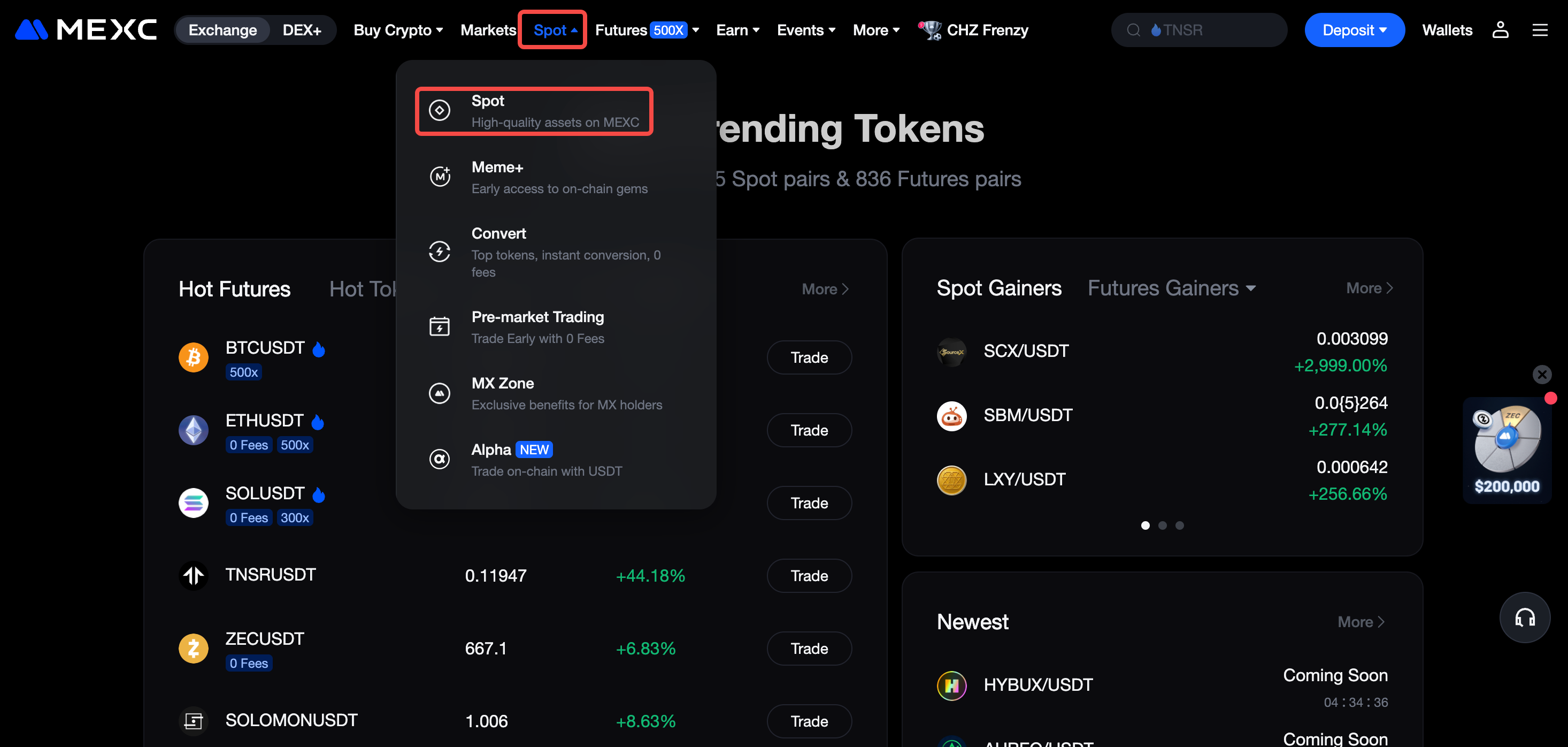
Go to the MEXC official websiteand log in to your account. In the top navigation bar, hover over Spot and click Spot.
On the Spot Trading page order panel, select Trailing Stop in the order panel. We will use BTC as an example to show how to place a spot trailing stop order.
Enter the three key parameters: Activation Price, Trailing Delta, and Trailing Stop Price.
1) Enter the Activation Price (Optional)
The activation price determines when the trailing stop order activates. The system will start tracking price movements only after the market price reaches the activation price.
- For Buy Orders, it is recommended to set the activation price at or below the current market price.
- For Sell Orders, it is recommended to set the activation price at or above the current market price.
If no activation price is entered, the system will use the last price at the time of order placement as the activation price by default.
2) Enter the Trailing Delta
Trailing delta represents the percentage by which the price must rebound from its lowest point (for a buy order) or pull back from its highest point (for a sell order) before the order is triggered. You can set this ratio between 1% and 99%. If you set a 5% trailing delta, the system will continuously track the lowest price (for buy orders) or highest price (for sell orders). Once the price reverses by 5%, the order will be automatically triggered.
3) Enter the Trailing Stop Price
After the trailing stop order is triggered, the system will place a limit or market order based on the selected price type.
2. Examples: Placing Spot Trailing Stop Orders
2.1 Buy Trailing Stop Order
Suppose the current BTC price is 91,000 USDT. You expect the price to continue falling and want to buy on the rebound when the market starts to climb. You can configure the trailing stop order as follows:
- Activation Price: 90,000 USDT
- Trailing Delta: 5%
- Limit Price: 89,000 USDT
When the market price drops to 90,000 USDT, the trailing stop order is activated. Assume the price continues to fall to a low of 83,000 USDT before rebounding. When the rebound reaches 5%, meaning the price rises to 83,000 × (1 + 5%) = 87,150 USDT, the system automatically places a buy limit order at 89,000 USDT. Since limit orders can execute at a better price when liquidity allows, your order will likely be filled around 87,150 USDT, successfully buying on the rebound.
2.2 Sell Trailing Stop Order
Suppose the current BTC price is 91,000 USDT. You hold BTC and expect the price to continue rising, but you want to sell on the pullback to lock in profits. You can configure the trailing stop order as follows:
- Activation Price: 92,000 USDT
- Trailing Delta: 5%
- Limit Price: 92,500 USDT
When the market price rises to 92,000 USDT, the trailing stop order is activated. Assume the price continues to increase to a high of 98,000 USDT before starting to pull back. When the pullback reaches 5%, meaning the price drops to 98,000 × (1 − 5%) = 93,100 USDT, the system automatically places a sell limit order at 92,500 USDT. Ideally, your order will be filled around 93,100 USDT, successfully selling on the pullback to secure profits.
3. Spot Trailing Stop Order FAQs
3.1 What is the activation price in a spot trailing stop order?
The activation price is the trigger condition for a trailing stop order. When the market reaches or exceeds this price, the order becomes active and begins tracking the market. This parameter is optional. If no activation price is set, it activates immediately upon placement.
Example: You place a BTC/USDT trailing stop sell order with the following settings:
- Limit Price: 91,000 USDT
- Activation Price: 90,000 USDT
- Trailing Delta: 5%
This means the market price must first reach 90,000 USDT before the trailing stop order is activated. Once BTC reaches 90,000 USDT, the system begins tracking the highest price. When the price falls by 5% from that high, the system automatically places a sell limit order at 91,000 USDT.
3.2 How is the trigger price calculated?
For Buy Orders:
- Trigger Price = Lowest Price Reached × (1 + Trailing Delta)
For Sell Orders:
- Trigger Price = Highest Price Reached × (1 – Trailing Delta)
3.3 Why didn't my limit order fill after the trailing stop was triggered?
After the trailing stop order is triggered, the system places a limit order. However, a limit order is not guaranteed to be filled. If the market price does not reach the limit price you set, the order will remain unfilled. In addition, during periods of heightened market volatility, your limit order may fail to be filled if there are insufficient counter orders in the market. Orders in the order book are matched in chronological order based on the time they were placed.
3.4 How can I check whether my spot trailing stop order has been triggered?
You can confirm whether your trailing stop order has been triggered by checking the Order Status.
After placing the order, go to the Open Orders section at the bottom of the trading page to view its status.
If you have set an activation price, the specific value will be displayed in the Trigger Condition column.
Once the order is triggered, this column will show the status Triggered.
3.5 What is the difference between a limit order and a trailing stop order in Spot trading?
A regular limit order has a fixed order price, while the trigger price of a trailing stop order changes dynamically according to market conditions. The key advantage of a trailing stop order is that as long as the market moves in a favorable direction, the system continues to track the price without placing an order, allowing you to potentially achieve a better execution price. Only when the price reverses and reaches the preset trail variance will the system automatically place the order.